If you are a small business owner, the checkout counter used to be the most expensive square footage in your shop. It required a bulky computer, a dedicated server, expensive licensing fees, and a tangle of wires.
But in 2025, the most powerful tool for your business is already in your pocket.
Switching to a Mobile POS (Point of Sale) system isn’t just about saving space; it’s about gaining control. Whether you run a boutique, a grocery store, or a pop-up stall, using an inventory management app on your Android device allows you to bill customers, track stock, and view profit reports from anywhere.
Here is why switching to an app-based system like RoyalPOS is the smartest move for your retail business.
What is a Mobile POS System?
Definition: A Mobile POS (mPOS) is a system that uses a smartphone or tablet (like an Android device) to perform the functions of a traditional cash register. It allows businesses to process transactions, manage inventory, and analyze sales data wirelessly via an app.
Unlike legacy systems that require proprietary hardware, a mobile POS like RoyalPOS works on the devices you already own. It democratizes technology, giving small retailers the same powerful tools as big box stores.
Top 3 Pain Points of Manual Inventory (and How to Fix Them)
Most small businesses start with a pen and paper or a messy Excel sheet. However, as you grow, these manual methods become business killers.
1. The "Out of Stock" Nightmare
The Problem: You don't realize you are out of a best-selling item until a customer asks for it. You lose the sale and the customer’s trust.
The RoyalPOS Solution: With a digital POS, inventory is deducted in real-time. When you scan an item at checkout, the stock count updates instantly. You can even set "Low Stock Alerts" so you know exactly when to reorder.
2. Shrinkage and Theft
The Problem: Without digital tracking, it is impossible to know if missing items were sold or stolen.
The RoyalPOS Solution: Every transaction is logged. By comparing your physical stock count with the app’s digital report, you can identify discrepancies immediately.
3. Pricing Errors
The Problem: Different employees might charge different prices, or sale discounts aren't applied correctly.
The RoyalPOS Solution: Prices are centralized in the app. Whether you scan a barcode or tap the product on the screen, the correct price (and tax) is applied automatically every time.
How to Turn Your Android Phone into a Barcode Scanner
One of the biggest misconceptions about switching to a POS system is the hardware cost. "Do I need to buy a laser scanner gun?"
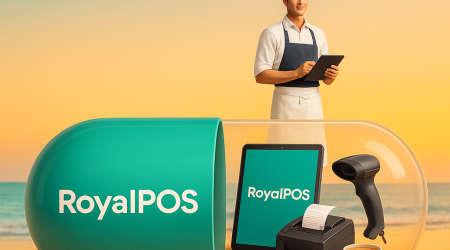
No. But If you want you can and connect Bar Code Scanner with Bluetooth or cable.
In Addition, Modern mobile billing software leverages the high-quality camera on your Android phone.
- Step 1: Open the RoyalPOS app.
- Step 2: Tap the camera icon in the billing screen.
- Step 3: Hover your phone over the product barcode.
The app instantly recognizes the product, adds it to the cart, and calculates the total. This feature alone saves small business owners hundreds of dollars in hardware costs.
Comparison: Traditional Cash Register vs. RoyalPOS App
| Feature | Traditional Cash Register | RoyalPOS Mobile App |
|---|---|---|
| Hardware Cost | High | Low (Use existing phone) |
| Mobility | Zero (Fixed) | 100% (Mobile) |
| Inventory Sync | Manual / None | Real-time & Automated |
| Updates | Technical Visit Needed | Automatic App Updates |
| Backups | Local Data | Cloud-Based (Secure) |
Why "Offline Mode" Matters for Retail
Internet connections can be flaky, but your sales shouldn't be. A major flaw in many web-based POS systems is that they freeze when the WiFi goes down.
RoyalPOS is designed with an "Offline First" architecture.
You can continue to scan items, print receipts via Bluetooth, and close sales without an internet connection. Once your device reconnects to the internet, all your sales data automatically syncs to the cloud.
FAQ: Common Questions About Android POS
Q: Can I connect a printer to my phone?
A: Yes. RoyalPOS supports a wide range of Bluetooth and WiFi thermal printers.
Q: Is my sales data secure?
A: Absolutely. Cloud-based POS systems encrypt your data, ensuring your business information is safe even if your device is lost.
Ready to Upgrade Your Business?
Stop wrestling with spreadsheets. Streamline your shop, reduce errors, and checkout customers faster with RoyalPOS.